Case Study
Symbio6
Integrated Healthcare Platform & Patient Portal
Duration
12 weeks
Platform
Web & Mobile
Role
UX Designer
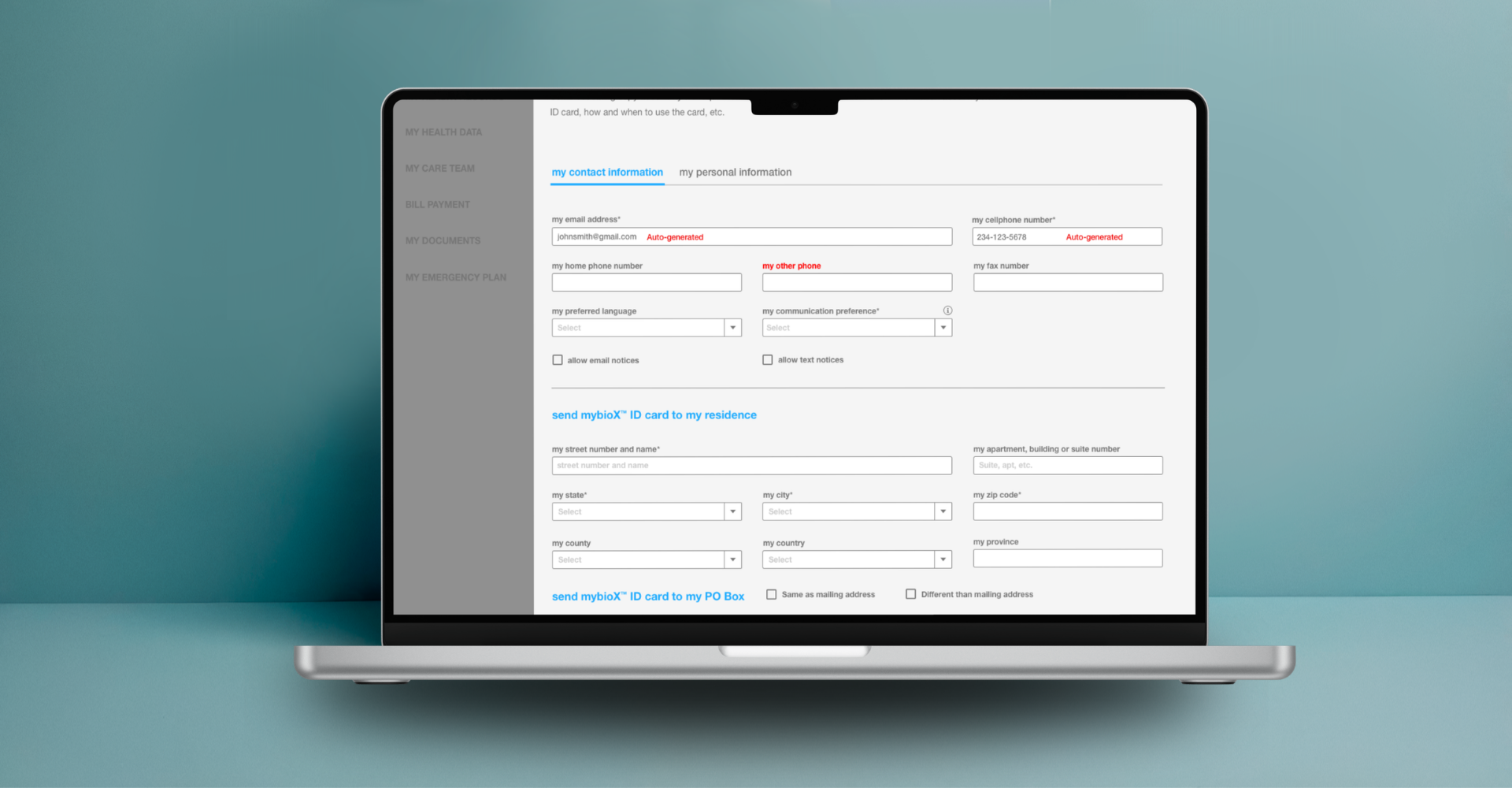
Overview
Connecting patients to their health data
Symbio6 INTEGRATE is a healthcare platform designed to bridge the gap between laboratory workflows and patient-facing access. At its core is mybioX - a patient portal and mobile app that gives individuals a unified place to manage their health records, find providers, build their care team, and stay connected to their healthcare journey.
I led UX design across both the web portal and mobile app, working through customer journey research, complex lab workflow documentation, information architecture, wireframes, and a fully designed mobile experience.
The Problem
Patients have no single place to access, manage, or share their health data. Records are scattered across providers, labs process specimens through disconnected workflows, and patients are left out of the loop entirely.
The Symbio6 platform needed to solve two parallel problems: digitize and standardize laboratory testing workflows for clinical staff, and give patients a consumer-grade portal to take ownership of their health information.
Before
- Records fragmented across providers
- No patient visibility into lab results
- Manual, paper-based lab workflows
- Providers searched separately per system
- No centralized emergency health data
After
- Unified health record hub
- Real-time record access and sharing
- Digitized lab workflow with exception handling
- NPI database-connected provider finder
- mybioX ID card with emergency plan
Research & Discovery
Mapping the patient care continuum
Research covered two tracks: patient-facing journey mapping across the full care continuum, and deep documentation of laboratory testing workflows across three analytical phases.
Customer Journey - INTEGRATE: Connected Care Across the Patient Care Continuum
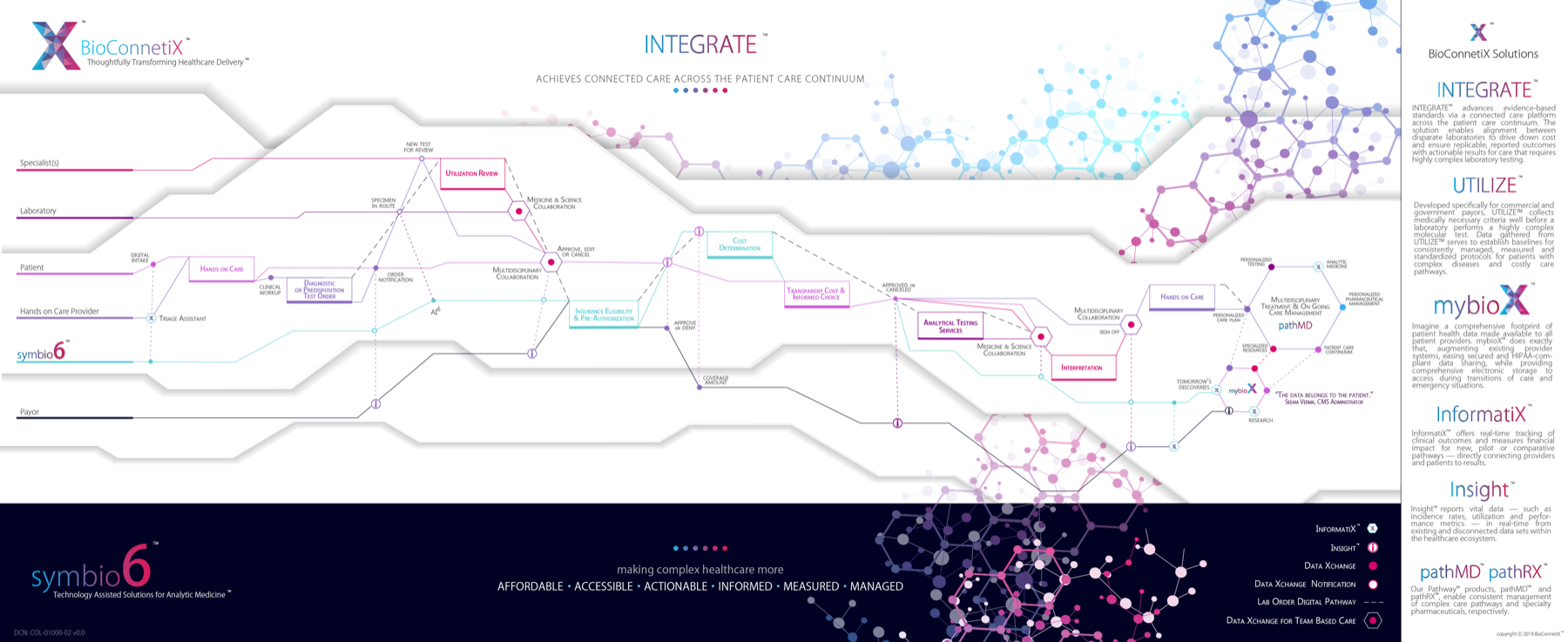
5 Actor Lanes
Specialist, Laboratory, Patient, Hands on Care Provider, Payor - mapped across the full care continuum
End-to-End Flow
Digital intake → diagnostic order → multidisciplinary collaboration → analytical testing → interpretation → care
4 Platform Products
INTEGRATE, UTILIZE, InformatiX, and mybioX - each solving a distinct part of the care pathway
Patients
Access records, find providers, manage care team and emergency plans
Lab Staff
Process specimens through pre-analytical, analytical, and post-analytical phases
Providers
Order tests, review results, and receive records shared directly by patients
Administrators
Manage platform users, configure rules, notifications, and attestations
Lab Workflow Documentation
Three phases of laboratory testing
Before designing the patient-facing experience, we documented the complete laboratory workflow - the backbone of the data patients would access.
Pre-Analytical
Specimen collection, order signature verification, rejection handling, and patient consent workflows.
Analytical
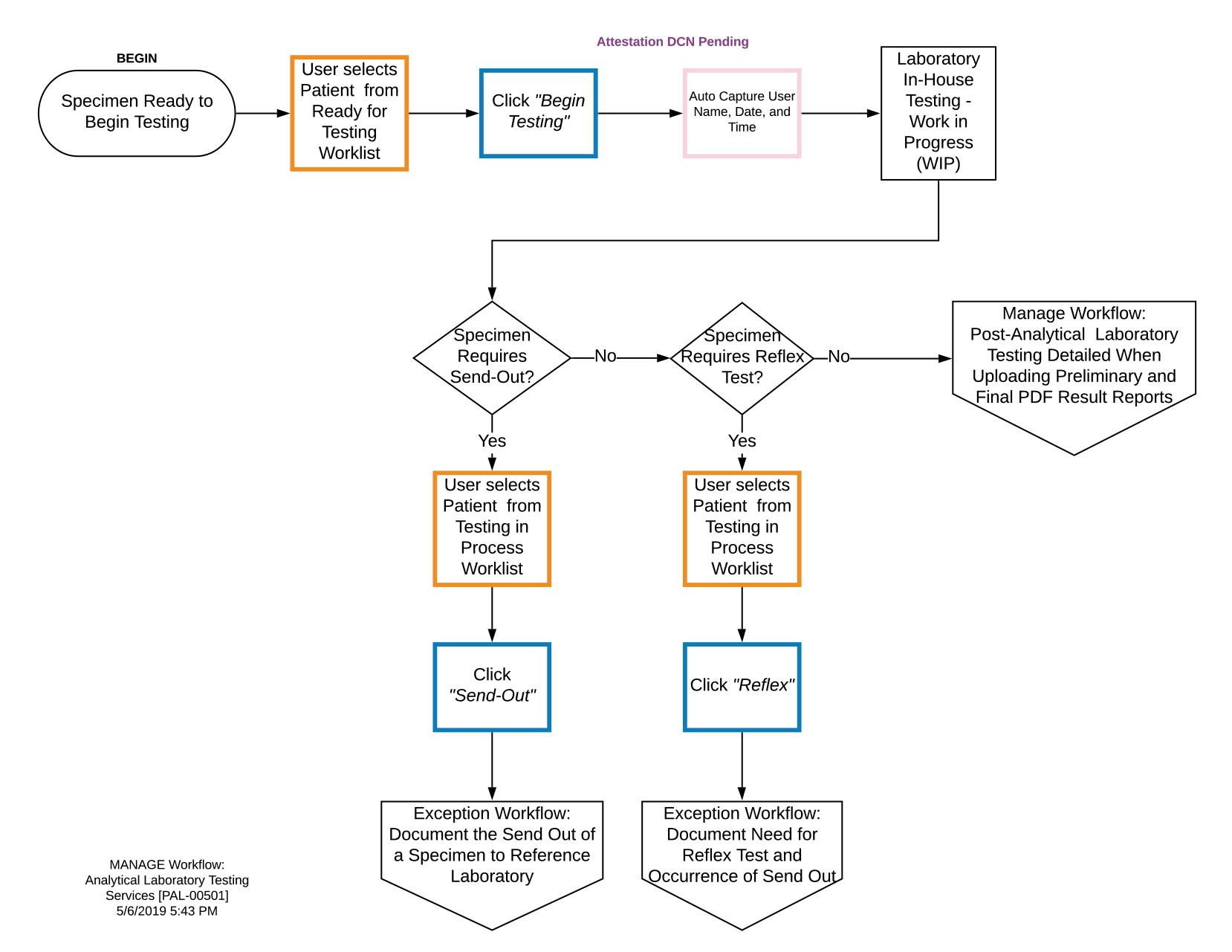
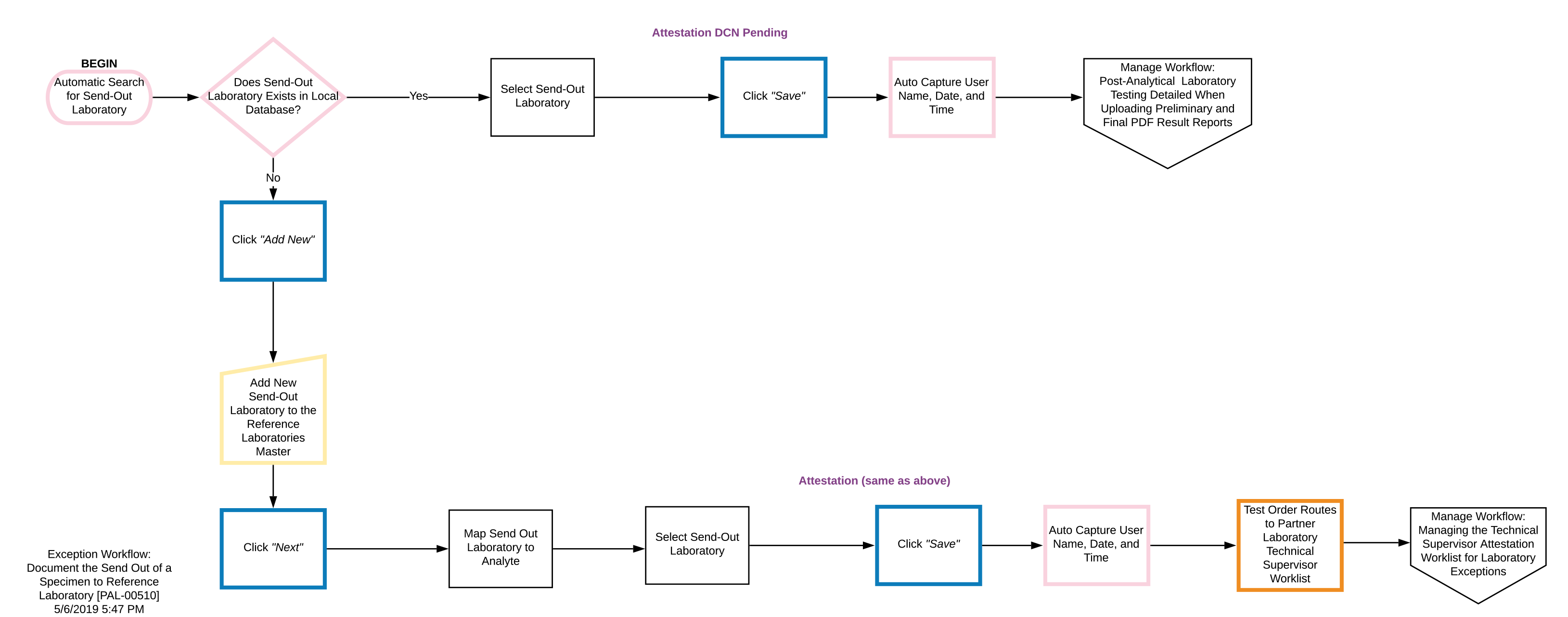
In-house testing, reflex test documentation, and send-out to reference laboratories with exception tracking.
Post-Analytical
Result publishing, amended results, attestation worklists, and billing file generation.
Analytical Workflow - Manage Workflow [PAL-00501]
Exception Workflows
Designing for edge cases
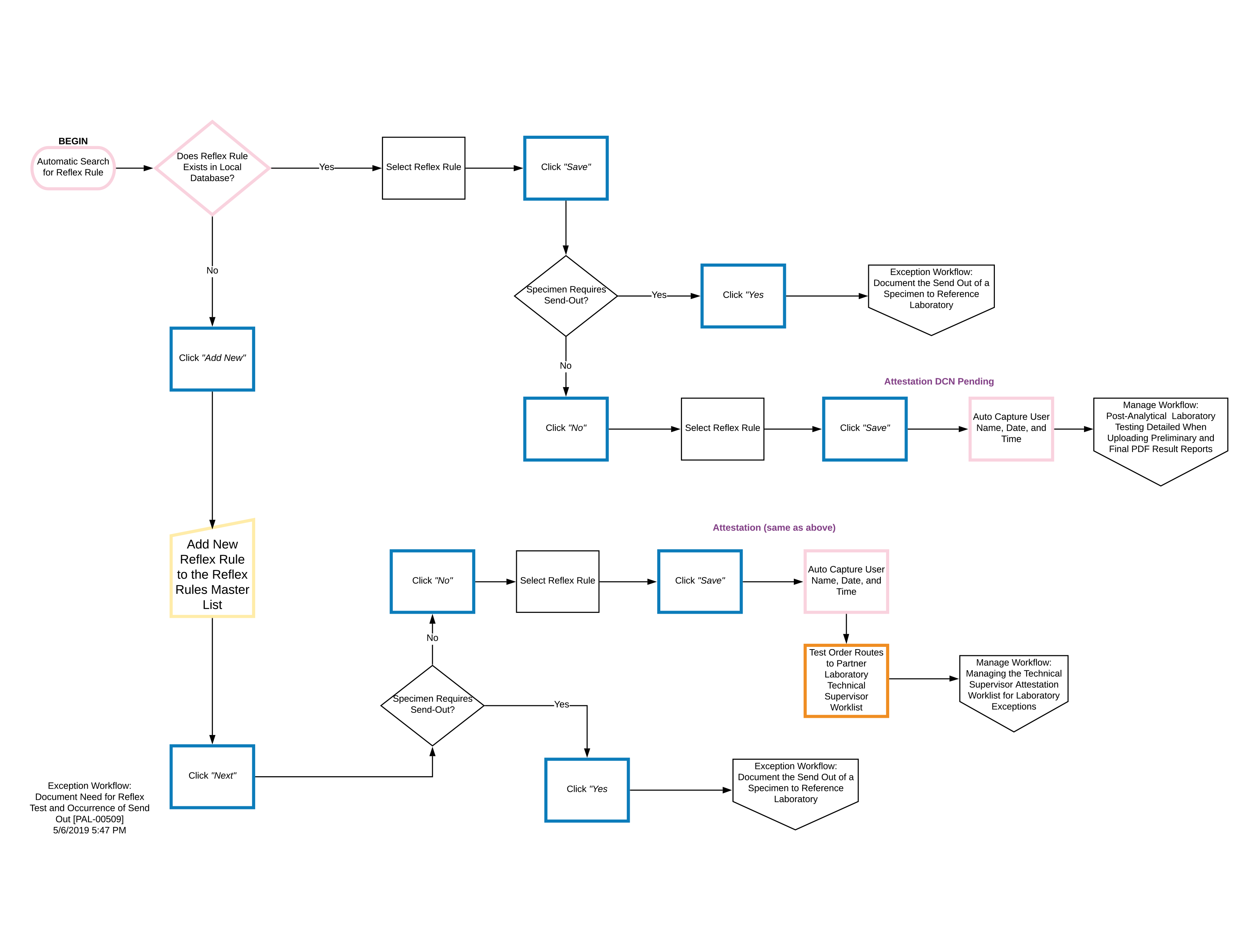
Real lab environments are full of exceptions. We documented two critical exception paths that required their own UX flows.
Send-Out to Reference Laboratory
Reflex Test & Send-Out Occurrence
Information Architecture
mybioX portal structure
The portal needed to serve a patient's complete healthcare lifecycle - from account setup through ongoing record management, provider connectivity, and emergency access.
Core Navigation
Dashboard
Onboarding → Contact & personal info → mybioX ID card mailing
Records Hub
My Health Records
Upload manually → Connect electronically → Download, print, or send to providers
Provider Connectivity
Find a Provider
Search the NPI database by NPI number, name, or organization
Health Management
My Health Data & Care Team
Vitals, insurance, documents, emergency plan, bill payment
UX Design Principles
Patient Empowerment
Give patients full ownership and control over their records
Trust Through Transparency
Always show patients what data is shared and with whom
Guided Onboarding
Step-by-step setup that educates while it registers
Standards Compliance
NPI database integration and HIPAA-aligned access controls
Mobile-First Access
Full feature parity across web portal and mobile app
Emergency Readiness
Critical health data accessible even in emergency scenarios
Wireframes
Three core patient journeys
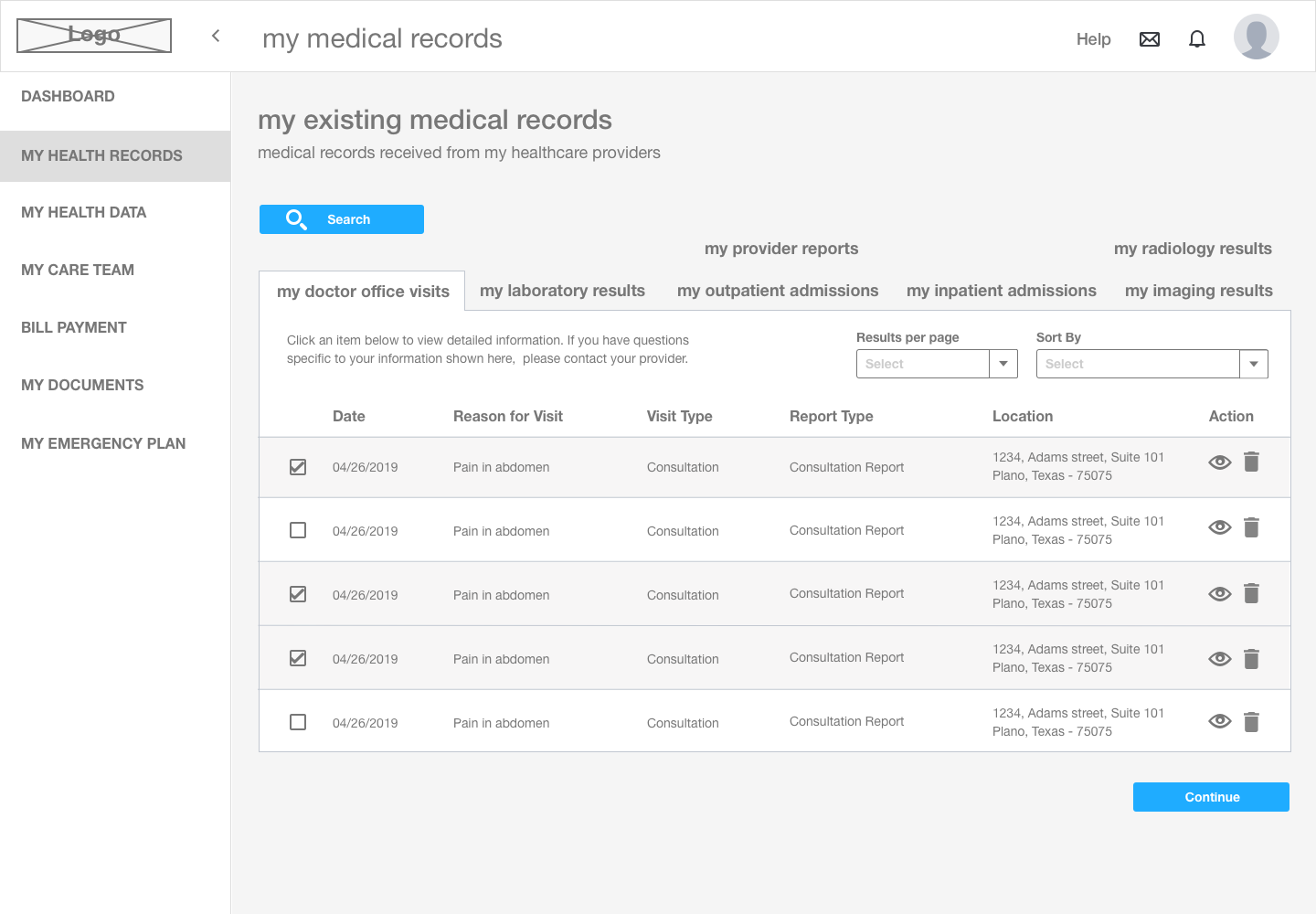
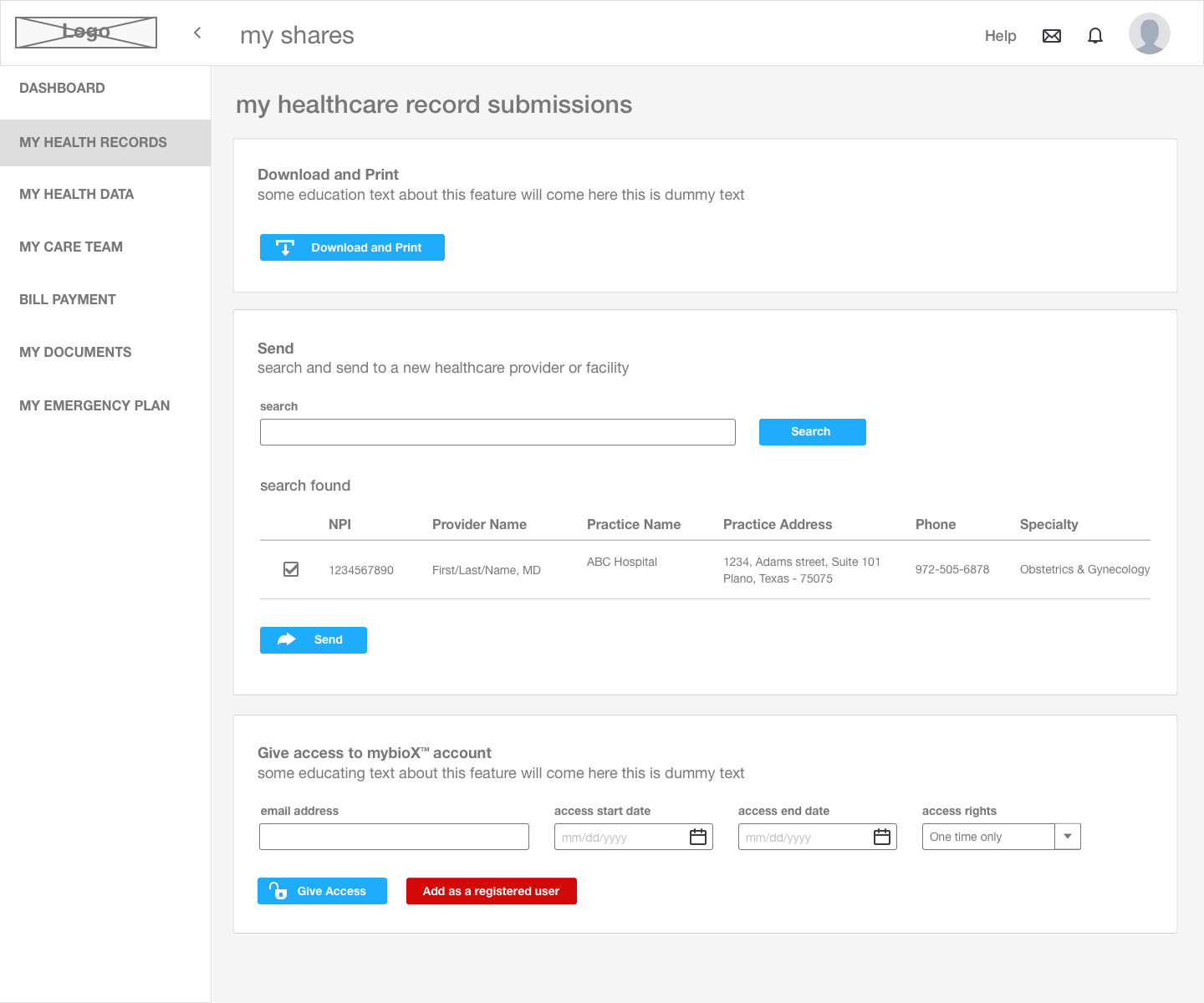
Wireframes focused on the three highest-impact areas: account setup and dashboard, finding a provider, and accessing medical records.
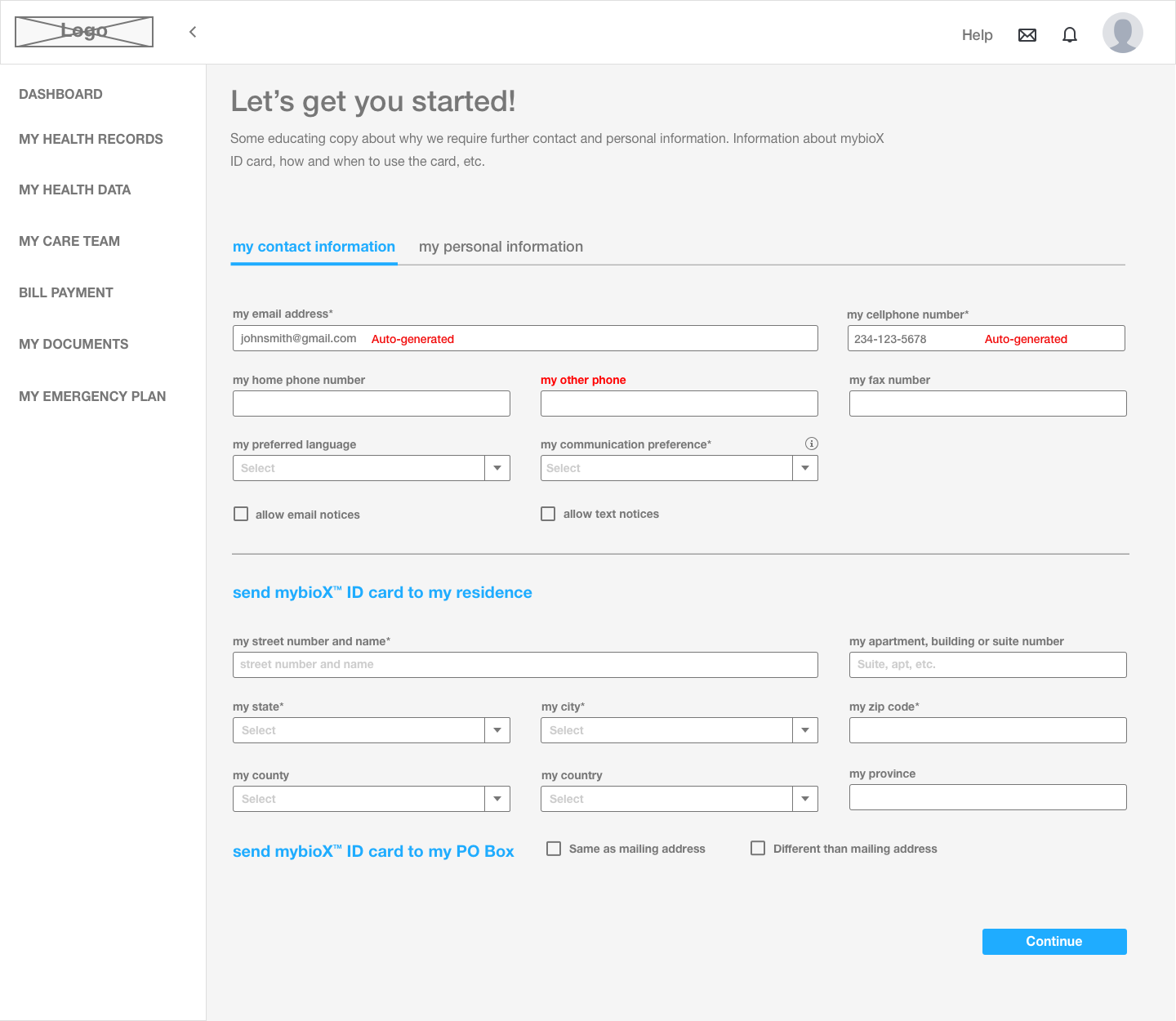
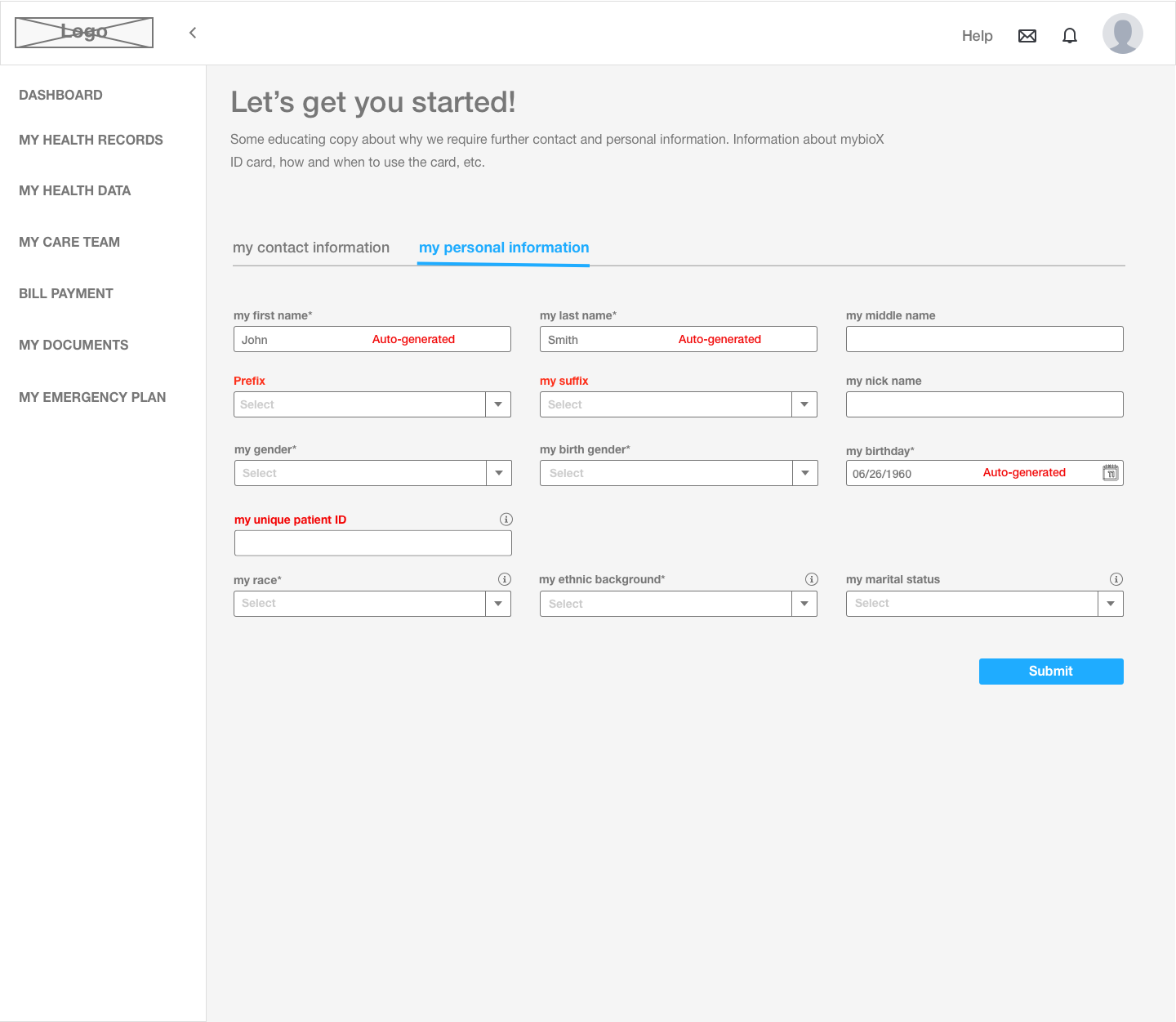
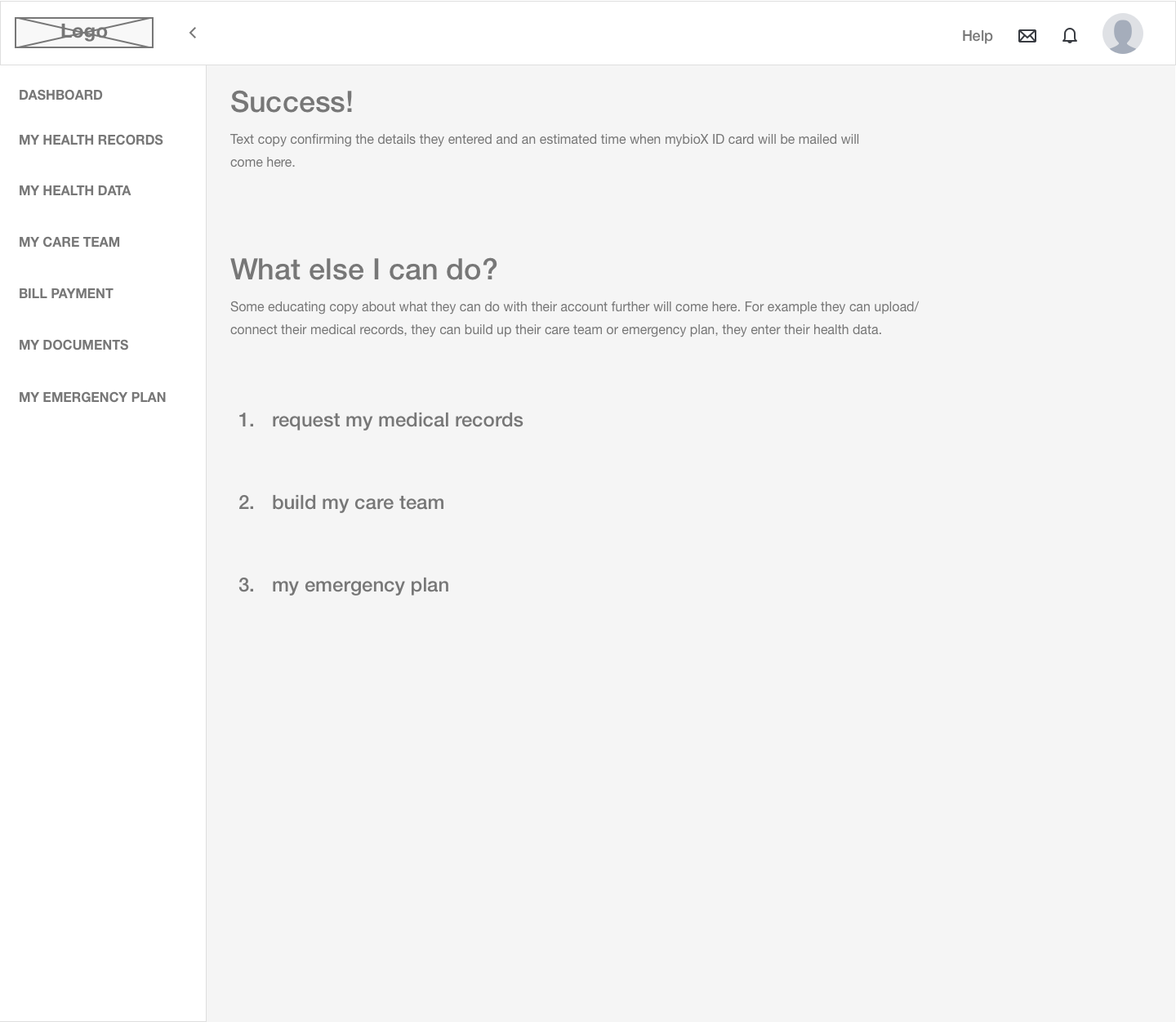
Account Setup
01 / 09
Dashboard & Onboarding
Guided account setup collecting contact info, personal details, and mailing address for the mybioX ID card - with progressive disclosure across tabs.
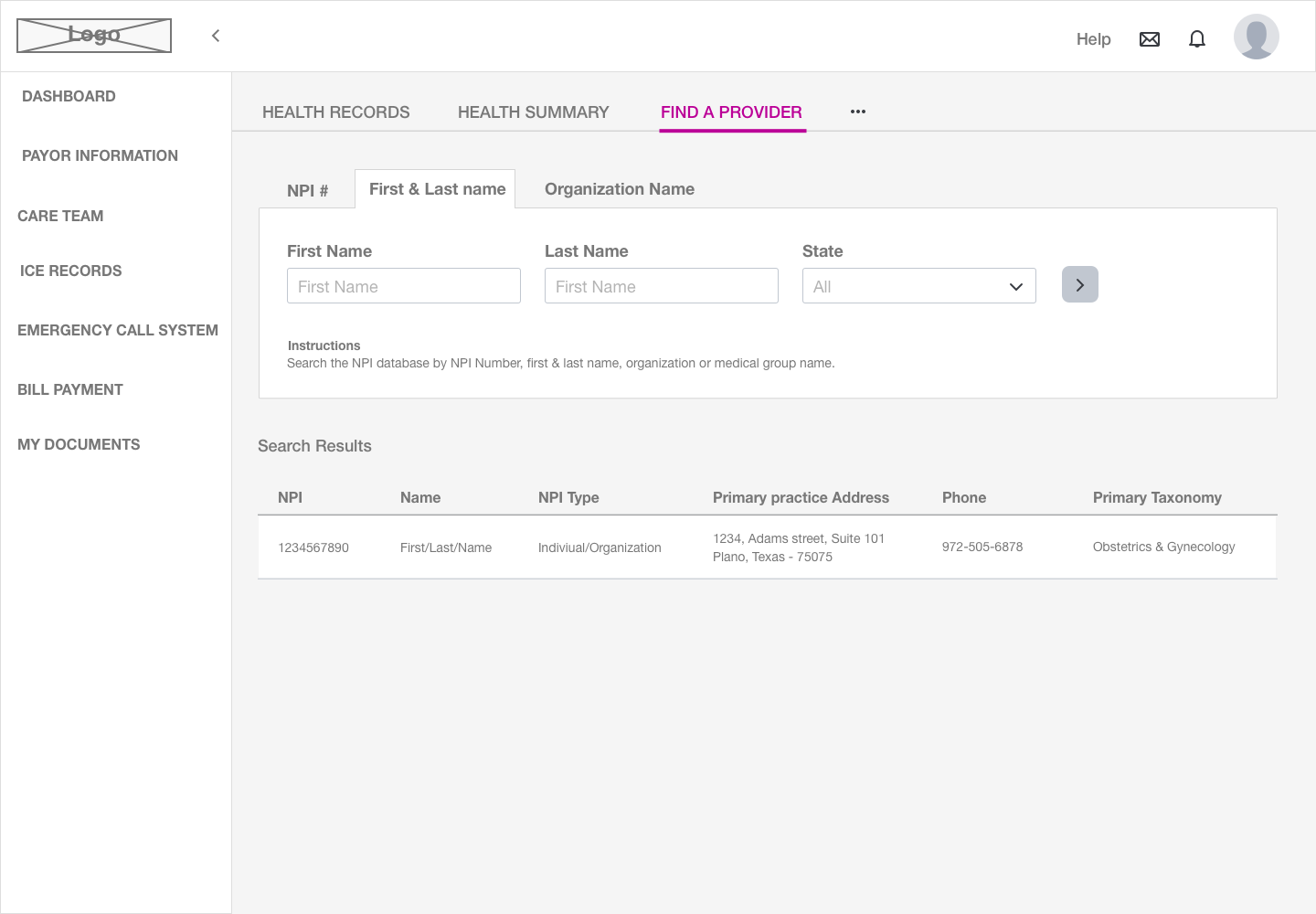
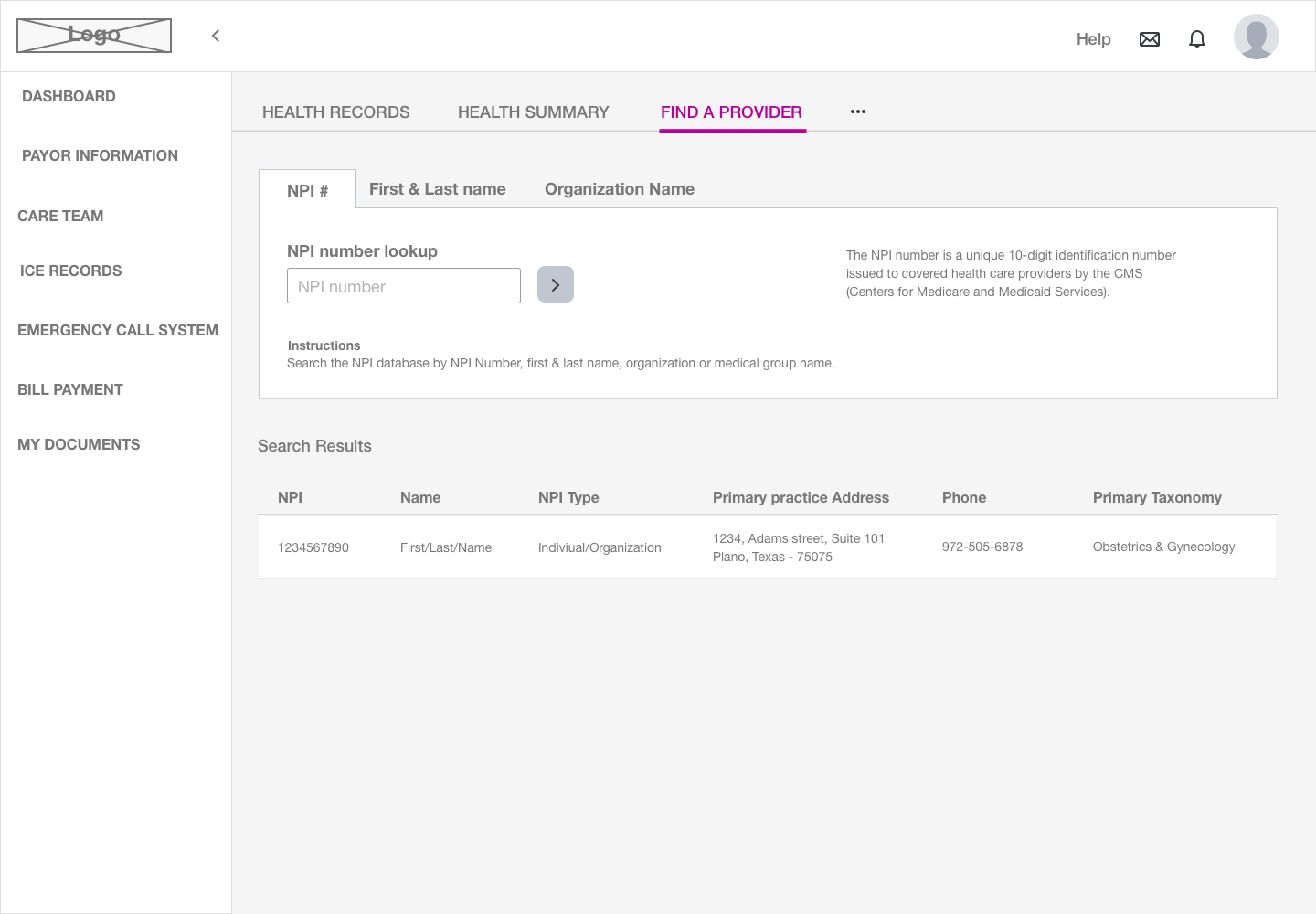
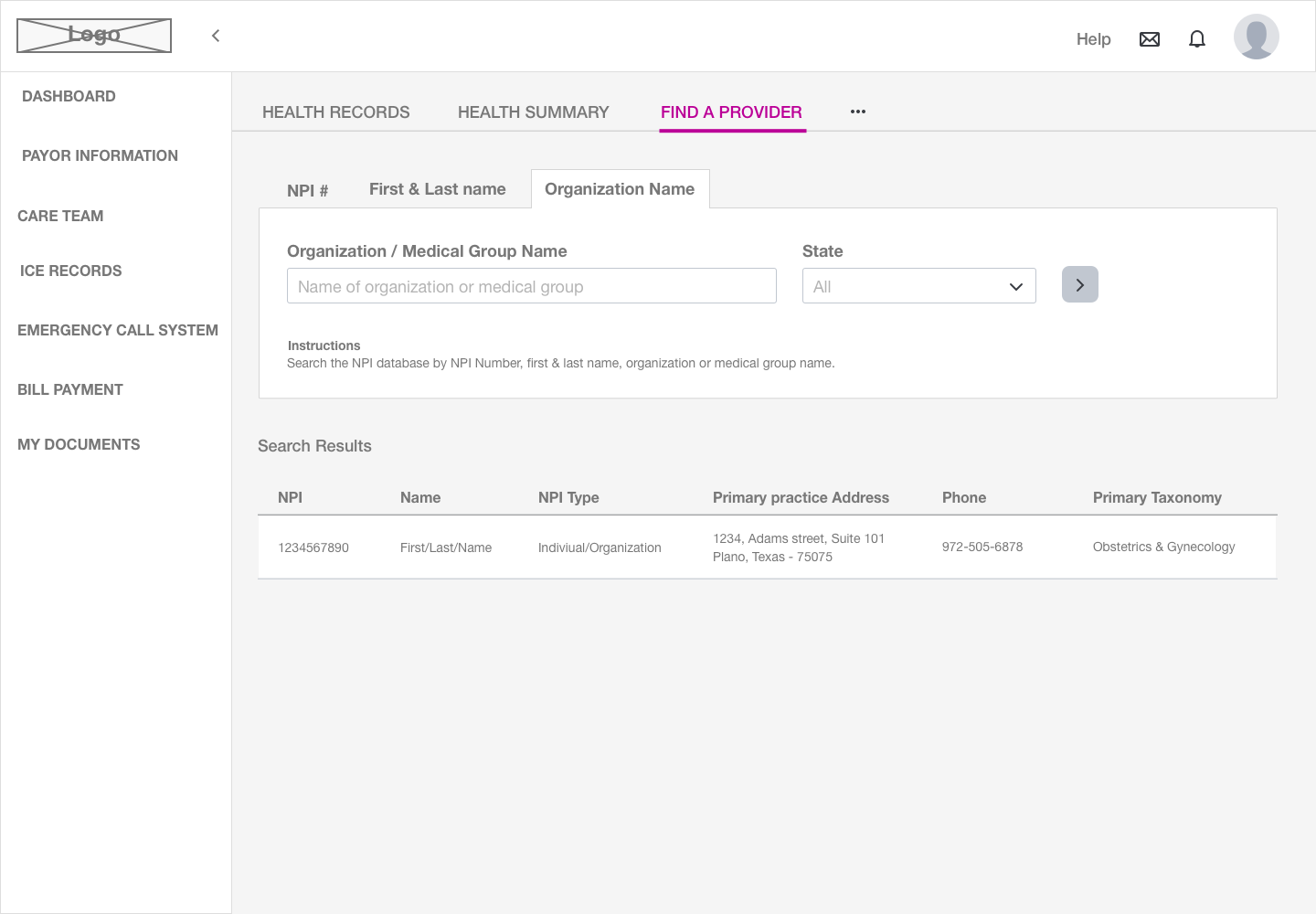
Find a Provider
NPI database search with three modes: NPI number, first and last name, or organization - each returning standardized provider data with address, phone, and taxonomy.
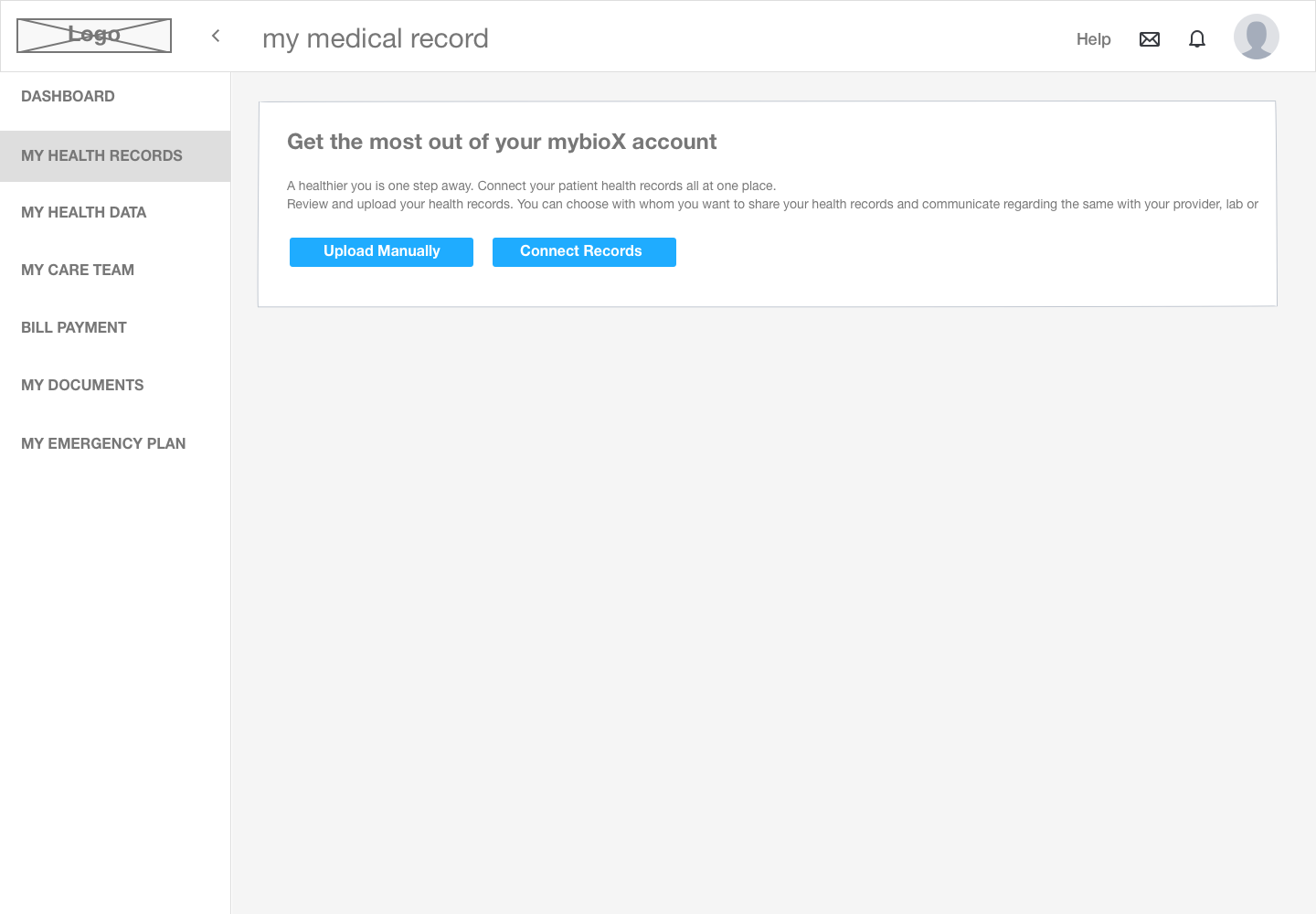
My Medical Records
Empty-state onboarding encouraging upload or EHR connection, followed by full record management - download, print, and secure sending directly to providers or facilities.
Visual Design System
A healthcare brand that feels personal
The visual language needed to feel trustworthy and clinical on web, and warm and consumer-friendly on mobile - unified under the mybioX identity.
Design Tokens
Brand Gradient
Periwinkle → Violet
#6B5CE7
Primary Action
#00BFFF
Interactive / Links
#EC4899
Emergency / Urgent
Dual Tone Approach
Web portal uses a clean clinical light theme; the mobile app uses a warm blue-to-purple gradient to feel approachable and personal.
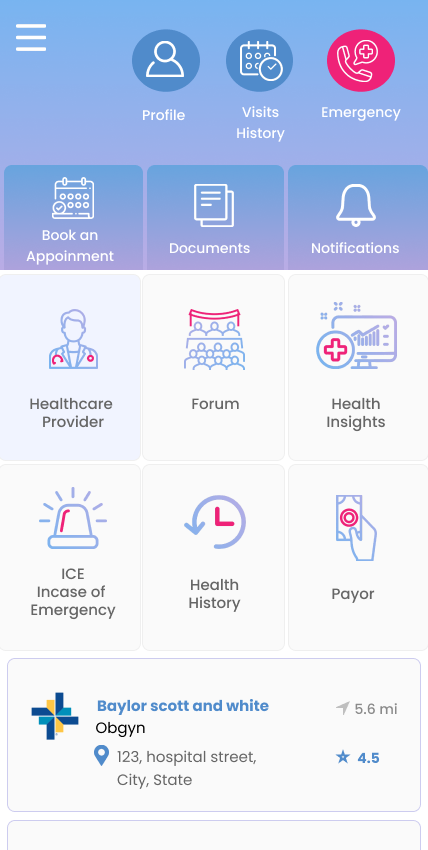
Icon-Driven Navigation
Mobile features use icon tiles with clear labels - reducing literacy barriers and making features discoverable at a glance.
Semantic Color System
Pink/red signals emergency access, blue signals interactivity, purple signals primary actions - consistent across both platforms.
Mobile App - mybioX
A patient's health, in their pocket
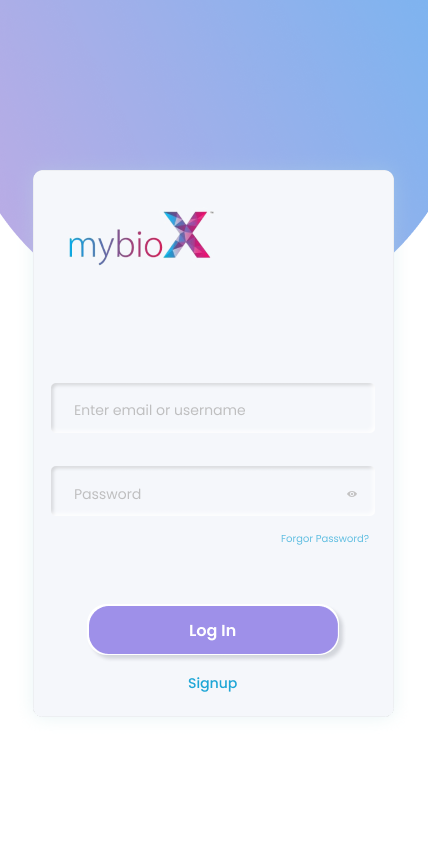
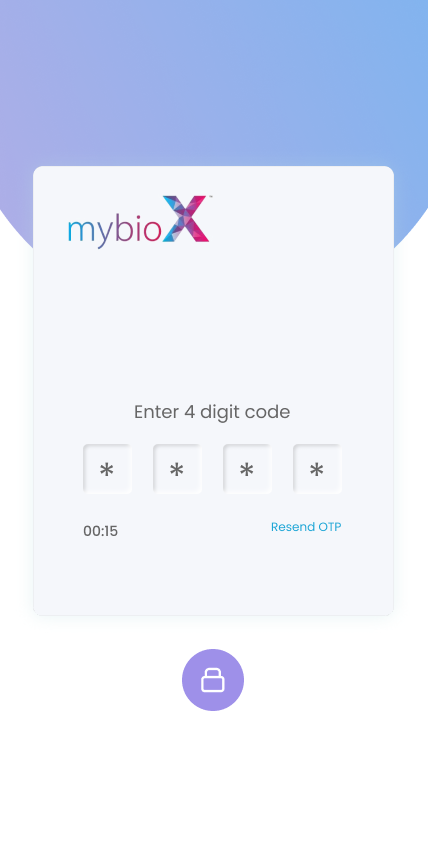
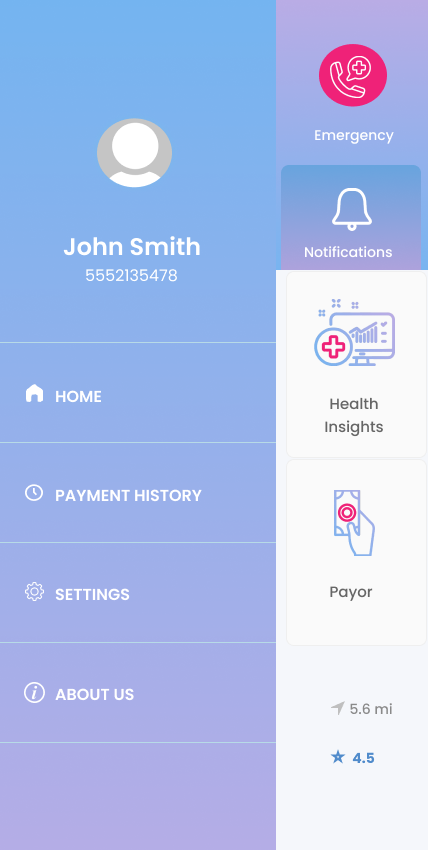
The mybioX mobile app brings the full portal experience to iPhone - secure login, a personalised dashboard, provider discovery, and appointment scheduling.
Login
Verify OTP
Dashboard
Find Doctor
Schedule
Navigation
Secure Onboarding
OTP verification at login keeps health data secure while keeping the sign-up flow fast and low-friction.
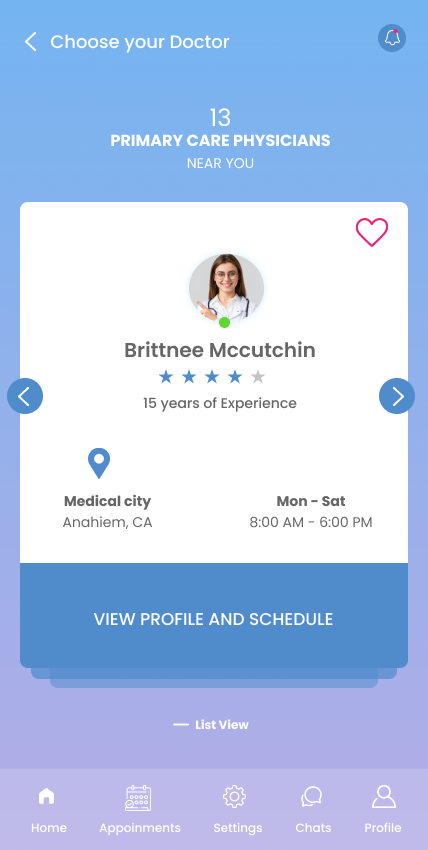
Smart Provider Discovery
Card-based provider browsing with location, star ratings, availability hours, and one-tap scheduling - modeled after familiar consumer app patterns.
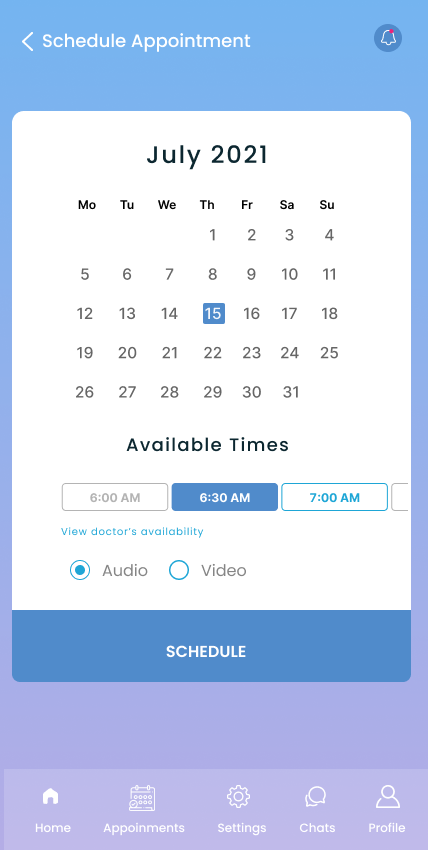
Appointment Scheduling
Calendar view with available time slots and audio/video appointment type selection - fully digital from provider discovery to confirmed booking.
Outcome & Impact
Measurable design decisions
3 modes
Provider search paths
NPI number, name, or organization - all routes covered
9 sections
Patient portal modules
Dashboard, records, care team, billing, documents & more
3 phases
Lab workflows documented
Pre-analytical, analytical, post-analytical + exception flows
Unified health identity
The mybioX ID card gives every patient a physical and digital identifier, enabling seamless record sharing across any provider or facility in the network.
Lab-to-patient pipeline
Digitized lab workflows create a direct pipeline from specimen testing to patient-accessible results - removing the information gap that delays care decisions.
Consumer-grade health UX
The mobile app brought familiar consumer patterns - card browsing, calendar scheduling, chat - into the healthcare experience, lowering the barrier to engagement.
Reflection
This project was uniquely complex because it required designing for two entirely different worlds simultaneously - the clinical precision of lab workflow documentation and the consumer simplicity patients expect from a health app.
The biggest insight was that patients don't think in "pre-analytical" and "post-analytical" - they just want to know their results and understand their health. Every design decision had to translate clinical complexity into human clarity. Getting that translation right, across both web and mobile, was the defining challenge of the engagement.